Speak better English,
just by talking.
Plumb writes down what you type or say, catches your English mistakes, shows you why, and tracks how you improve.
curl -fsSL https://plumbapp.vercel.app/install.sh | bashPaste it into Terminal and press Return. Safe and open source: read the script.
Free · Apple Silicon · macOS 14+ · Your notes stay on your Mac
Better English comes from seeing your own mistakes.
Talk or type your notes, emails and messages as usual. Plumb quietly shows you what to fix and how you're doing.
Just speak.
Click Speak and talk naturally. Plumb writes down what you say and checks it like typing, so it even catches the mistakes you make out loud. Practise the English you actually speak.
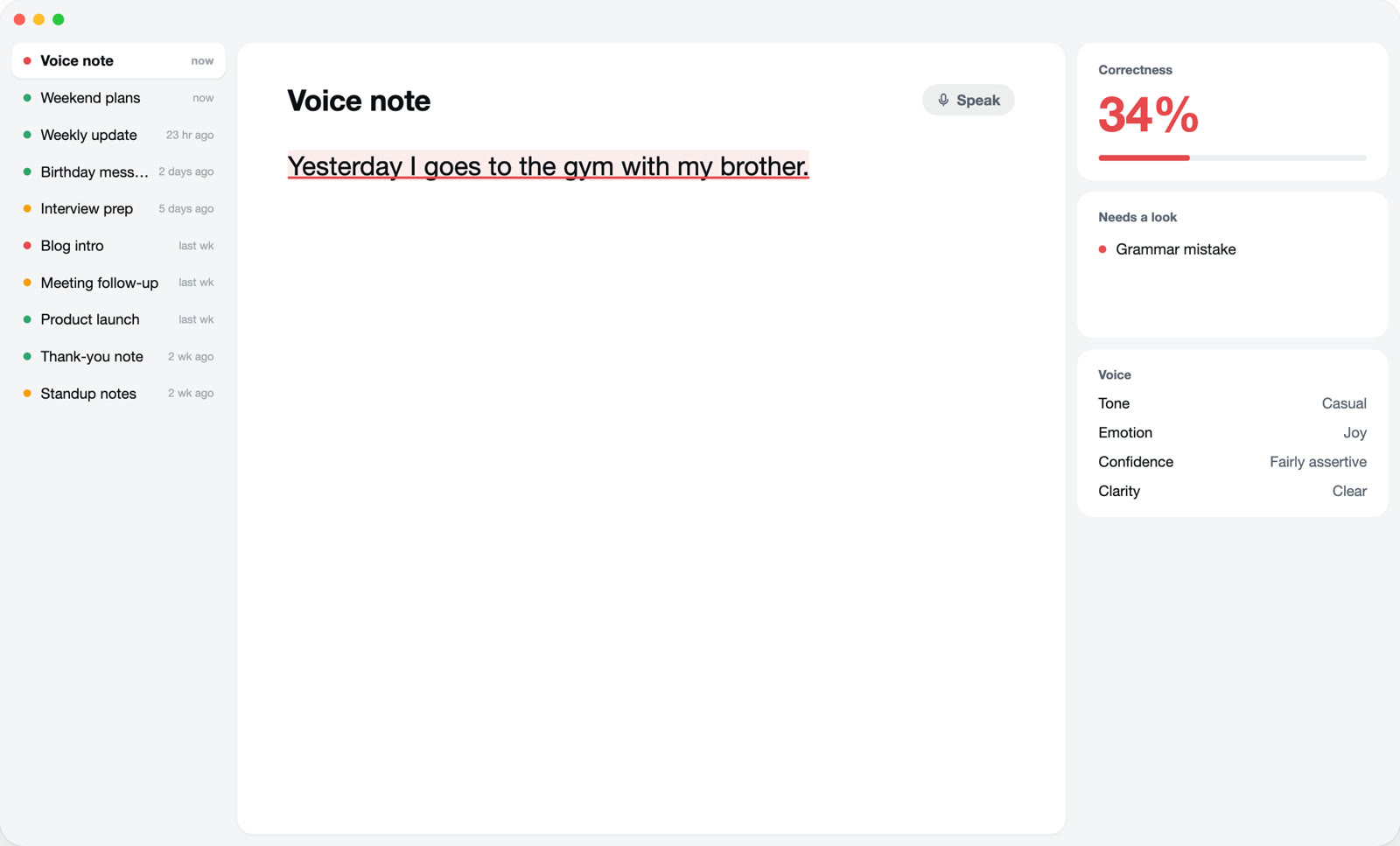
Or type. It checks as you go.
Pause for a moment and Plumb marks what needs a look: a red underline for grammar, a soft highlight for sentences that don't read right, amber dots for spelling, capitals and punctuation.
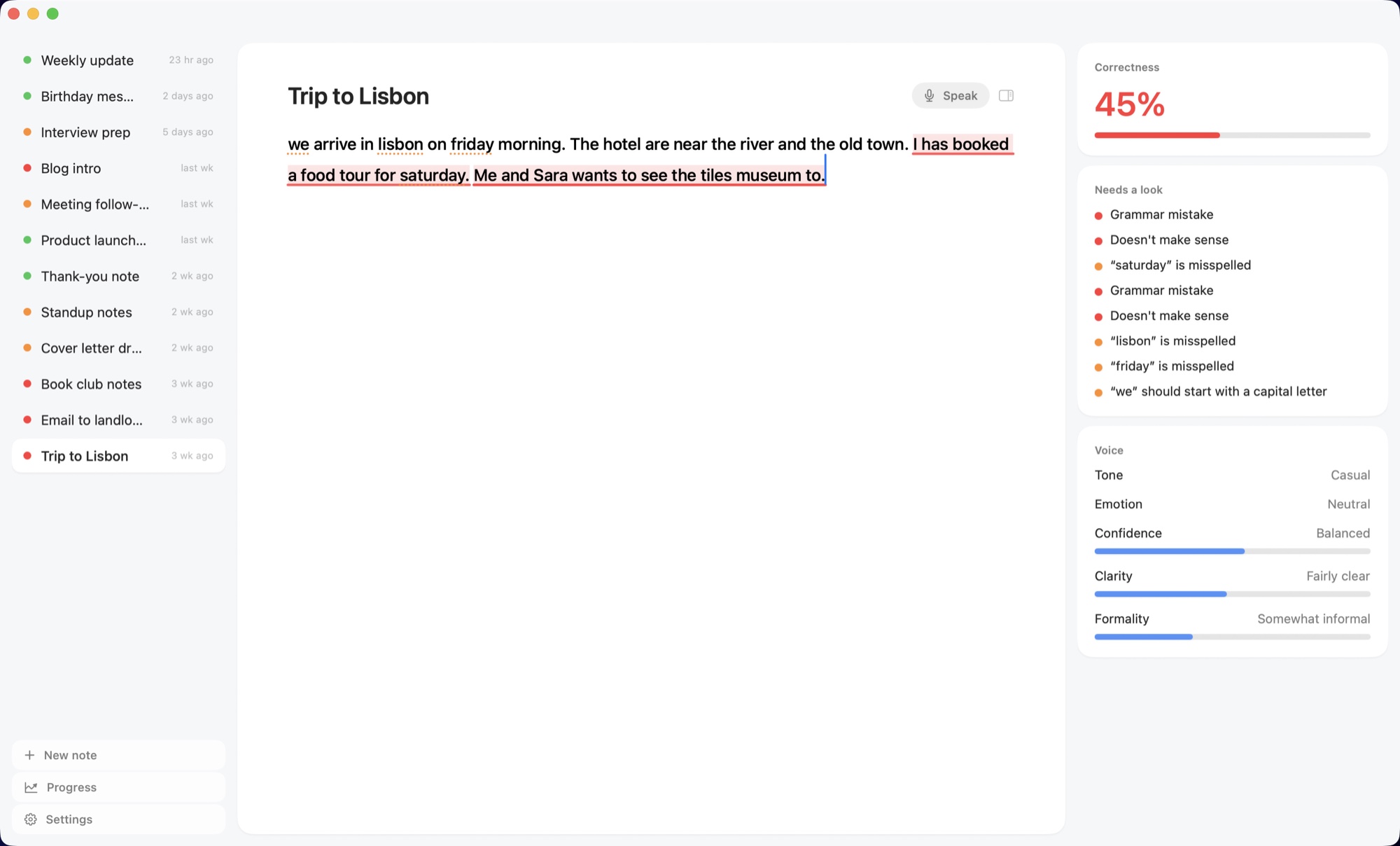
Hover to see why.
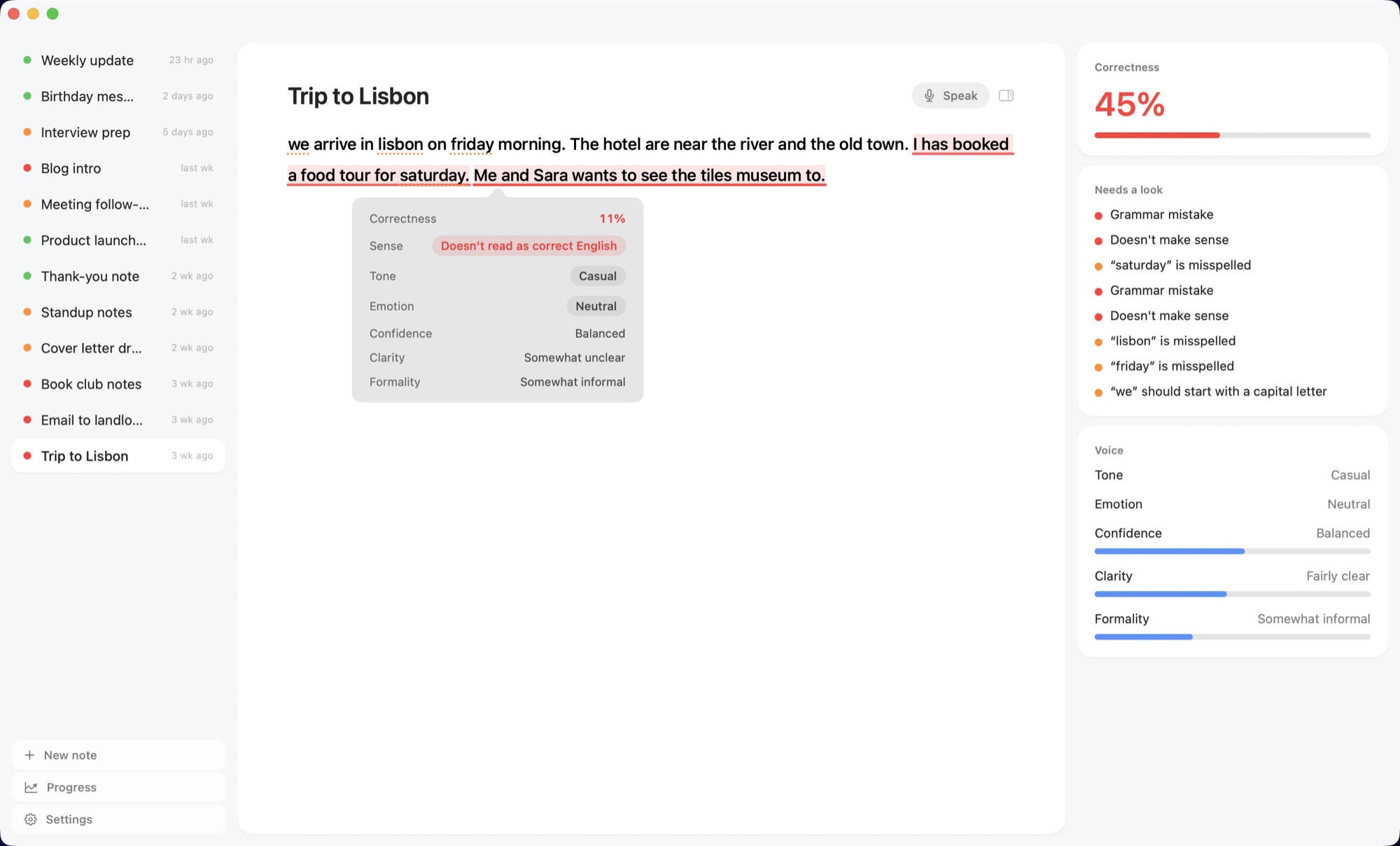
Hover any sentence to see its Correctness, whether it reads as real English, and its tone, emotion, confidence, clarity and formality. Plumb never rewrites you. You fix it, so it sticks.
Watch yourself improve.
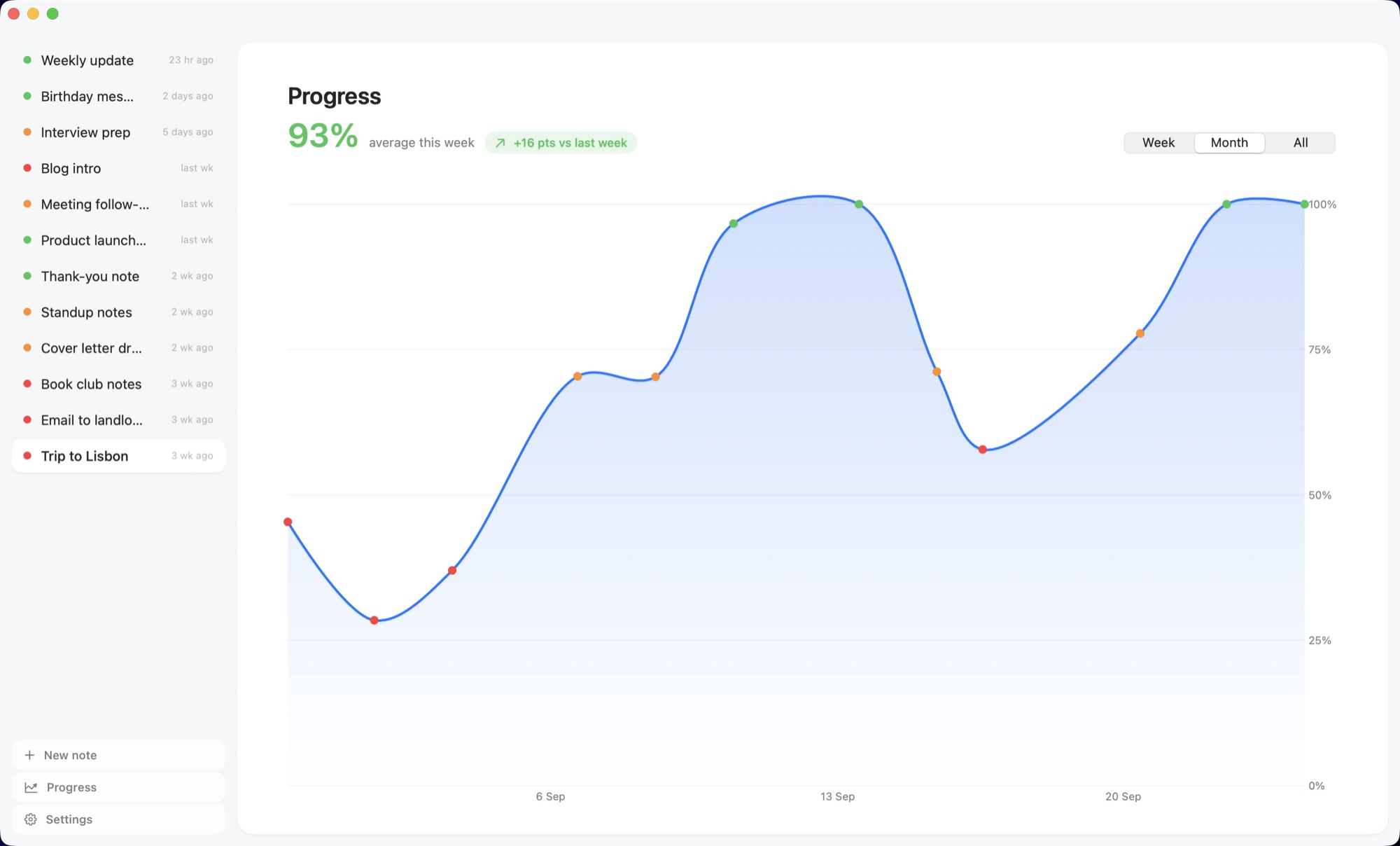
Every note gets a Correctness score. The Progress page charts them over weeks and months, so you can see your English getting better, one note at a time.
Private by design.
Your words are yours. They never leave your Mac.
Runs on your Mac
Plumb's AI runs on your computer. Your writing and your voice are never uploaded, and it works offline.
No account, no tracking
Nothing to sign up for. The app has no analytics and no ads, and collects no data. Your notes are plain files you own.
Free and open source
Every line of code is public on GitHub. Free to download and use, with no trial and no catch.
Questions
Is Plumb really free?
Yes. Plumb is free and open source. There is no subscription, no trial, no ads and no account.
Can Plumb correct my grammar?
Plumb finds your grammar mistakes as you type or speak and underlines them, then shows you why when you hover. It doesn't silently rewrite your text: you make the correction yourself, which is how the right grammar sticks.
How can I improve my spoken English?
Speak into Plumb. Click Speak and talk about your day, a meeting or anything you like. Plumb writes down exactly what you said, mistakes included, and marks the grammar slips you make out loud, so you can see and fix the ones you repeat.
Is Plumb good for learning English?
Yes, if you're learning by writing and speaking. Plumb is a practice space: every note shows what to fix, and the Progress chart tracks your Correctness over weeks, so you can see your English improving. It's made for learners and non-native speakers who want to get better, not just get auto-corrected.
Does Plumb send my writing anywhere?
No. Plumb's writing model runs on your Mac, and your notes are plain files on your Mac. The only things Plumb downloads are its AI models, once: the writing model when you first open it, and the voice model the first time you speak.
Does Plumb rewrite my text?
No, and that's the point. Plumb marks what looks wrong and shows you why when you hover. You make the fix yourself, which is how you actually get better at English.
What does Plumb check?
Grammar mistakes, sentences that don't read as correct English, spelling, capital letters and punctuation. It also shows the tone, emotion, confidence, clarity and formality of each sentence, and a Correctness score for the whole note.
Which Macs does Plumb run on?
Any Mac with Apple Silicon (M1 or newer) running macOS 14 or newer, with about 2.7 GB of free disk space.
Does it work offline?
Yes. After the one-time downloads (the writing model, about 800 MB, and the voice model, about 130 MB, the first time you speak), Plumb works fully offline.
Can I speak instead of typing?
Yes. Click Speak next to the note title and talk. Plumb writes down what you say and checks it just like typed text, so it catches the mistakes you make out loud too.
How is Plumb different from Grammarly?
Plumb is a notes app built for learning. It runs entirely on your Mac, so your writing never goes to a server, it's free, and it shows you your mistakes instead of rewriting them for you. The Progress chart then shows how your English improves over time.
How do I install Plumb?
Open Terminal (Applications, then Utilities), paste the one-line command from this page and press Return. It checks your Mac, downloads Plumb from its GitHub releases, verifies the download against its published fingerprint, copies Plumb into Applications and opens it. It works on any Apple Silicon Mac with macOS 14 or newer, with nothing else to install first.
How do I update Plumb?
Plumb tells you when a new version is ready and updates itself with one click: it downloads the update, checks its fingerprint, swaps it in and reopens. You can also check any time in Settings, under Updates, or run the install command again.
Is the install command safe?
Yes. It's a short script you can read before running it. It doesn't ask for your password or change any macOS security settings, it refuses a download that doesn't match its published fingerprint, and it only writes Plumb into your Applications folder. Plumb and the script are open source on GitHub.
How accurate is it?
Plumb catches most everyday mistakes, but no checker is perfect. Treat it as a learning aid, not an authority: if a mark doesn't look right to you, trust your judgement.

Start speaking better English today.
curl -fsSL https://plumbapp.vercel.app/install.sh | bashPaste it into Terminal and press Return. Safe and open source: read the script.